
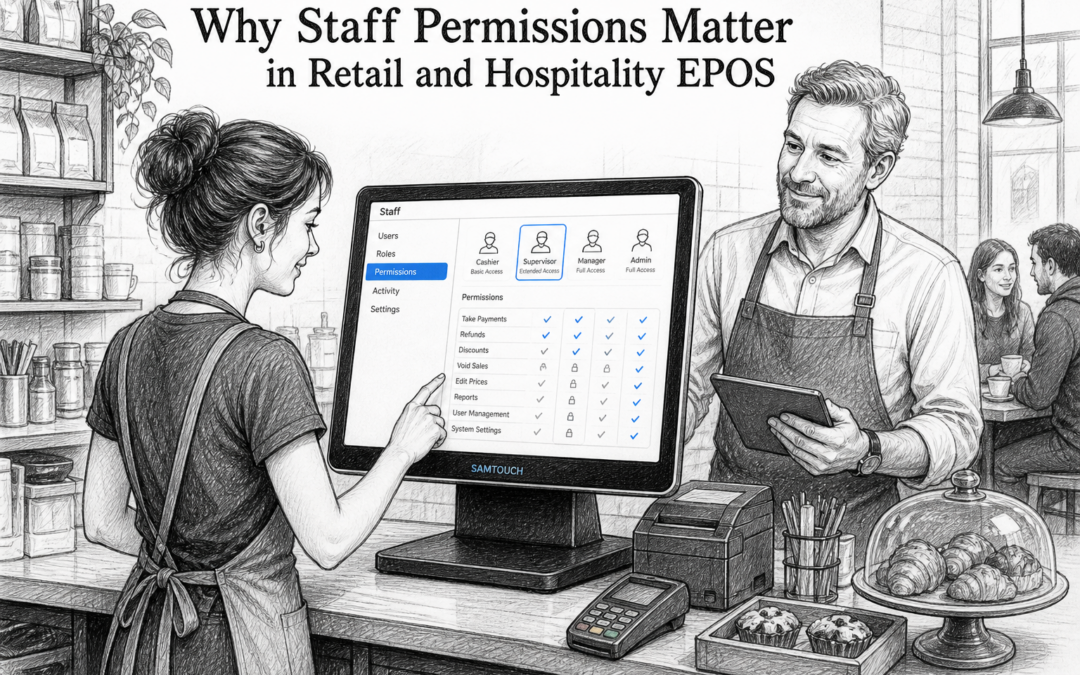
In busy retail and hospitality businesses, not every team member needs access to every function on the till. A new starter may only need to take payments. A supervisor may need to apply discounts. A manager may need to refund an order or check reports. That is where staff permissions become one of the most useful features in a modern EPOS system.
For UK businesses, staff permissions are about more than control. They help reduce mistakes, protect margins, and make daily operations easier to manage. Whether you run a convenience store, café, pub, takeaway or independent shop, having the right access levels in place can save time and improve consistency across the team.
What are staff permissions in EPOS?
Staff permissions let you decide which functions each user can access on your EPOS system. Instead of giving every employee the same level of access, you can tailor permissions by role.
For example, you might allow a cashier to process sales, but restrict refunds, voids or discount overrides. A shift manager may have permission to approve those actions. A business owner or general manager can usually access reporting, settings and user management.
This simple structure helps keep the till environment organised and makes it easier to supervise staff without adding unnecessary steps to everyday service.
Why staff permissions matter for UK businesses
They help reduce errors
Not every till mistake is caused by poor training. Sometimes errors happen because a system gives too much access too soon. Staff permissions help prevent accidental voids, incorrect discounts or unauthorised refunds by limiting what each user can change. That can be especially helpful in fast-paced settings where staff are serving customers quickly.
They protect your margins
Discounts, cancellations and refunds all affect profitability. If everyone can apply them freely, it becomes harder to manage margins and keep records accurate. With EPOS permissions in place, only the right people can authorise exceptions. This is useful in retail as well as hospitality, where small losses can add up over time.
They support better accountability
When each team member has their own login, you can see who processed a transaction or made a change. That makes it easier to review activity if something does not look right. It also encourages more careful use of the system because staff know actions are linked to their own account.
Practical examples by business type
Retail shops
In a clothing shop, gift shop or hardware store, staff might need different levels of access depending on experience. New employees may only process sales, while supervisors handle exchanges or price overrides. This creates a more controlled and professional environment without slowing down the shop floor.
Cafés, restaurants and bars
In hospitality, permissions are useful for managing discounts, complimentary items and bill adjustments. A bar team member may take drinks orders, while a supervisor handles split bills or voided items. In restaurants, this can help keep service moving while still giving managers oversight of sensitive actions.
Takeaways and quick-service businesses
In fast-moving food businesses, speed matters, but so does accuracy. Staff permissions help control who can edit orders after submission or apply exceptions. This is useful when different roles handle order taking, kitchen communication and end-of-shift checks.
Making staff training easier
One advantage of staff permissions is that they can make onboarding simpler. New employees do not need every tool at once. They can start with the basic functions they need for their role, then gain more access as they become confident.
That approach can help reduce pressure during training and make the till easier to learn. It also means fewer unplanned changes during the early stages of employment, which is useful for businesses with seasonal staff or frequent rota changes.
Why local EPOS support still matters
Even with a well-designed EPOS system, businesses sometimes need help setting up permissions properly. That might involve creating roles for supervisors, adjusting access for multiple sites, or making sure staff can use the features they need without opening up unnecessary controls.
This is one reason local EPOS support still matters for UK retailers and hospitality businesses. A UK-based supplier understands the way independent businesses work, from busy Saturday trading in a shop to late-night service in a pub or takeaway. If you need to fine-tune user access, change a setup quickly, or get guidance from someone who understands your environment, local support can make the process much smoother.
Samtouch is designed as a practical UK EPOS software option for businesses that want this kind of flexibility. You can learn more at www.samtouch.co.uk.
Choosing the right permissions setup
There is no single setup that suits every business. The best approach is to match permissions to real roles in your team. Start by identifying which functions should be available to everyone, which should be limited to supervisors, and which should be restricted to managers or owners only.
It is also worth reviewing permissions regularly. As your business grows, staff responsibilities may change. A simple setup that worked for a small team may need adjusting once you add more shifts, open another branch or expand service areas.
A practical way to keep control without slowing service
Staff permissions are one of those EPOS features that can quietly make a big difference. They help protect margins, reduce avoidable errors and improve accountability, all while keeping the till easy to use for the people who need it most.
For UK retail and hospitality businesses, that balance is important. You want a system that gives staff the right tools without giving everyone the same level of access. With the right EPOS setup, that becomes much easier to manage.
Contact YCR Distribution at sales@samtouch.co.uk 01924 438238 to discuss how Samtouch could support your business.
Recent Comments