
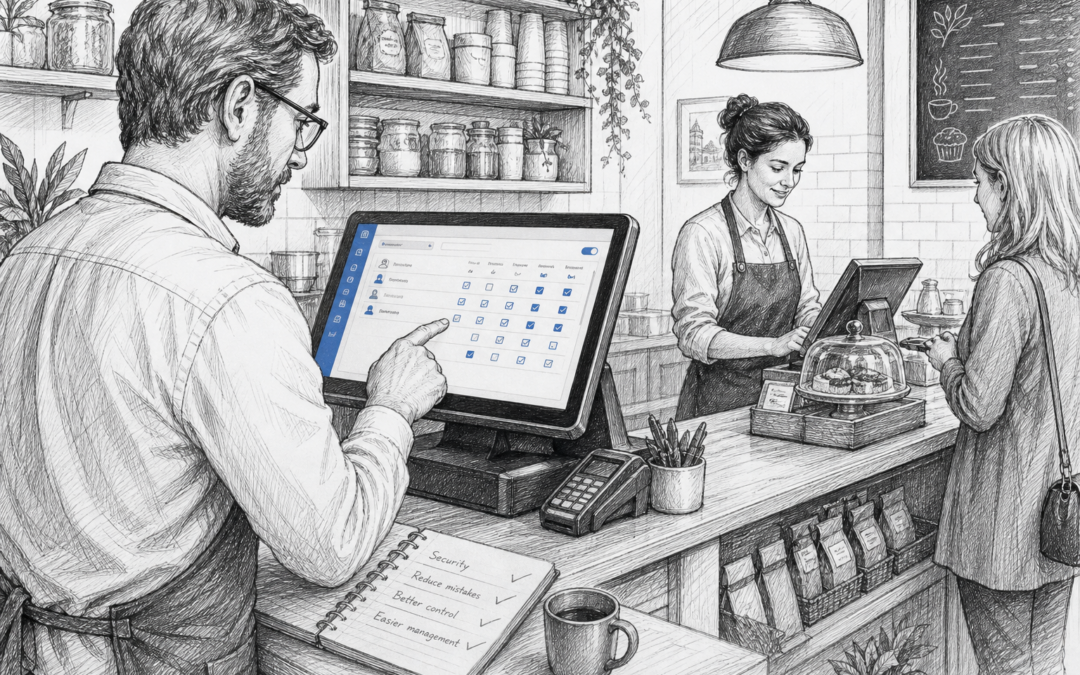
Why staff permissions matter in EPOS systems
For many UK retail and hospitality businesses, a till is used by more than one person every day. In a busy shop, café, restaurant or takeaway, that can quickly lead to confusion if everyone has the same level of access. Staff permissions help solve that problem by making sure each team member can only do the tasks that are relevant to their role.
That might sound like a small feature, but it can make a noticeable difference to control, accountability and confidence at the till. Whether you are managing a small independent business or several locations, the ability to set the right permissions is one of the most practical parts of an EPOS system.
What staff permissions actually do
Staff permissions allow you to control what each user can see and do in the system. For example, you may want one person to take payments and process returns, while another can only add sales. A manager might be allowed to approve refunds, void items, apply discounts or view more detailed reports.
This helps create clearer separation between everyday tasks and higher-level actions. It also reduces the chance of accidental changes, especially in businesses where several team members share the same till during a shift.
Common permission settings
Depending on the EPOS system, you may be able to control access for:
- Refunds and voids
- Discounts and promotions
- End-of-day reporting
- Cash drawer access
- Product edits and price changes
- Manager approval for restricted actions
For businesses using Samtouch, these kinds of controls can be set up to suit the way the team works day to day. That helps keep the system practical rather than overly complicated.
How permissions help reduce mistakes and misuse
Most team members do their best, but mistakes happen when access is too open. A staff member may apply the wrong discount, issue a refund without approval or change a product by accident. With clear permissions, the system itself helps prevent those errors.
Permissions can also support better accountability. If only certain roles can carry out specific actions, it is easier to understand what happened if a transaction needs reviewing later. That can be useful during busy trading times, when multiple people are serving and quick decisions are being made.
In hospitality, this can be particularly helpful for items such as complimentary drinks, manual price changes or bill amendments. In retail, it may help with returns, markdowns and restricted products. The aim is not to make the till harder to use, but to keep the process controlled and straightforward.
Building trust without slowing the team down
One concern business owners sometimes have is that tighter control will slow staff down. In practice, a well-set EPOS system should do the opposite. If permissions are set carefully, most team members will still complete their day-to-day work quickly. They simply will not be able to access tools they do not need.
This is especially useful for new starters. Rather than giving every employee full access from day one, you can allow them to learn the basics first, then extend permissions as they gain confidence. That makes training more manageable and supports a smoother onboarding process.
Why local EPOS support still matters
Staff permissions are one of those features that work best when they are set up properly from the start. Every business operates slightly differently, so a one-size-fits-all approach is rarely ideal. This is where local EPOS support still matters for UK businesses.
When you work with a UK-based supplier such as Samtouch, it is easier to get advice that reflects real retail and hospitality workflows. If you are unsure which staff should be able to process refunds, discount items or access reports, local support can help you make those decisions in a sensible way. That matters whether you run a single shop or a busy hospitality venue with rotating shifts.
Having support available closer to home can also make it simpler to adjust permissions as your business changes. New manager? Seasonal staff? A second site? The right EPOS setup should adapt without creating extra admin.
Practical examples for different business types
Retail shops
In retail, permissions can help protect margins by limiting who can apply discounts or alter prices. That is useful in convenience stores, gift shops, clothing shops and other businesses where many small transactions add up over the course of the week.
Cafés, restaurants and takeaways
In hospitality, permissions can help control voids, refunds and bill adjustments. This is useful when different team members are taking orders, packing food or closing the till at the end of the shift.
Multi-site businesses
If you operate more than one location, permissions can help you apply a consistent approach across sites. You can give local managers the access they need while still keeping overall oversight.
Choosing an EPOS system with the right balance of control
The best EPOS systems are not just fast at the till. They also help business owners keep control without making everyday work difficult. Staff permissions are a good example of that balance.
If you are reviewing your current setup, it is worth asking a few simple questions: Who should be allowed to approve refunds? Which staff should see reports? Do you need different permissions for managers, supervisors and team members? The answers to those questions can make your EPOS far more effective.
Samtouch provides practical EPOS software for UK retail and hospitality businesses, with features that support better day-to-day control and clearer reporting. If you are exploring a more suitable setup for your business, visit www.samtouch.co.uk.
Contact YCR Distribution at sales@samtouch.co.uk 01924 438238
Short call-to-action: Find out how Samtouch can help you manage staff permissions and other essential EPOS features for your business at www.samtouch.co.uk.
Recent Comments